bulc,
Cita:
|
Empezado por bulc
...Me gustaría saber si la clausula Randomize se debe poner en el evento OnCreate o en el procedimiento mismo...
|

Revisa este código:
Código Delphi
[-]
unit Unit1;
interface
uses
Windows, Messages, SysUtils, Variants, Classes, Graphics, Controls, Forms,
Dialogs, jpeg, ExtCtrls, Math, StdCtrls;
type
TForm1 = class(TForm)
Image1: TImage;
Image2: TImage;
Image3: TImage;
Image4: TImage;
Image5: TImage;
Image6: TImage;
Image7: TImage;
Image8: TImage;
Button1: TButton;
Button2: TButton;
procedure Button1Click(Sender: TObject);
procedure Button2Click(Sender: TObject);
private
public
end;
var
Form1: TForm1;
Shuffle : Boolean;
implementation
{$R *.dfm}
procedure TForm1.Button1Click(Sender: TObject);
var
Image : Array of Integer;
R1, R2 : Integer;
P : TPicture;
i : Integer;
begin
for i := 0 to ComponentCount - 1 do
if (FindComponent('Image' + IntToStr(i+1)) is TImage) then
begin
SetLength(Image, Length(Image)+1);
Image[High(Image)] := i;
end;
RandSeed := GetTickCount;
Shuffle := True;
while Shuffle do
begin
Application.ProcessMessages;
R1 := RandomRange(Low(Image),High(Image)+1); R2 := RandomRange(Low(Image),High(Image)+1);
P := TPicture.Create;
P.Assign(TImage(Components[Image[R1]]).Picture.Graphic);
TImage(Components[Image[R1]]).Picture.Assign(TImage(Components[Image[R2]]).Picture.Graphic);
TImage(Components[Image[R2]]).Picture.Assign(P.Graphic);
P.Free;
Sleep(100);
end;
end;
procedure TForm1.Button2Click(Sender: TObject);
begin
Shuffle := False;
end;
end.
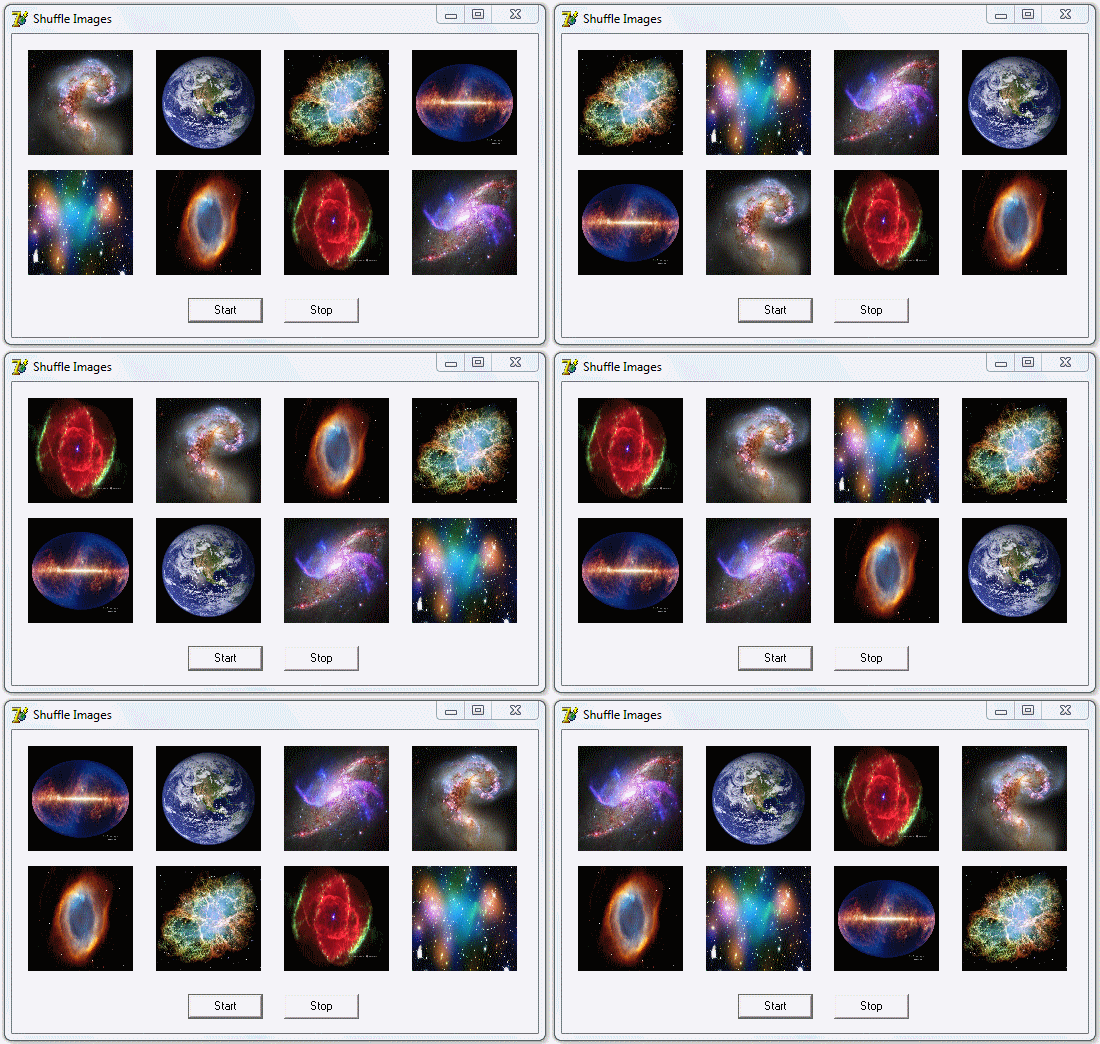
El código anterior en Delphi 7 sobre Windows 7 Professional x32,
Cambia de forma aleatoria 8 imágenes contenidas en componentes TImage por medio de las funciones RandSeed y RandomRange, como se muestra en la siguiente imagen:
 Nota
Nota: El código sugerido funciona análogamente con las funciones
Randomize y Random.
Espero sea útil

Nelson.