

|
|
 |
 |
|
Paypal | |
|
FTP | |
|
CCD | |
|
Buscar | |
|
Trucos | |
|
Trabajo | |
|
Foros | |
|
|||||||
| Registrarse | FAQ | Miembros | Calendario | Guía de estilo | Temas de Hoy |

 |
|
|
Herramientas | Buscar en Tema | Desplegado |
|
|
|
#1
 15-11-2017
|
|||
|
|||
|
Control bandeja
Hola:
Hice en C#, C++ CLR y VB .net este formulario para abrir y cerrar la bandeja de discos sea IDE o SATA. Quiero hacer lo mismo para Dephi Tokyo 10.2. Así sigo haciendo cositas con Delphi y no dejarlo en el limbo. Quiero traducir de C# a Delphi o hacer lo mismo, es decir, que se pueda abrir y cerrar la bandeja del lector. Seguiré haciendo documentos o tutoriales para Delphi tal como se ha hecho antes. Código de C#: Código:
using System;
using System.Runtime.InteropServices; // No olvidar.
using System.Text;
using System.Windows.Forms;

namespace Lector_discos_cs
{
    public partial class Form1 : Form
    {
        public Form1()
        {
            InitializeComponent();
        }

        [DllImport("winmm.dll")]
        public static extern Int32 mciSendString(string lpstrCommand, StringBuilder lpstrReturnString,
            int uReturnLength, IntPtr hwndCallback);

        StringBuilder rt = new StringBuilder(127);

        private void button_Abrir_Click(object sender, EventArgs e)
        {
            label_Mensaje.Text = "Abriendo...";
            Application.DoEvents();
            mciSendString("set CDAudio door open", rt, 127, IntPtr.Zero);
            label_Mensaje.Text = "Abierto.";
        }

        private void button_Cerrar_Click(object sender, EventArgs e)
        {
            label_Mensaje.Text = "Cerrando...";
            Application.DoEvents();
            mciSendString("set CDAudio door closed", rt, 127, IntPtr.Zero);
            label_Mensaje.Text = "Cerrado.";
        }
    }
}
Antes que nada, espero que se pueda hacer. Saludos.
__________________
http://electronica-pic.blogspot.com....n-arduino.html Manuales de electrónica general, PIC y Arduino. 
|
|
#2
15-11-2017
|
||||
|
||||
|
http://www.clubdelphi.com/foros/showthread.php?t=47574
http://www.clubdelphi.com/foros/showthread.php?t=2492
__________________
 La otra guía de estilo | Búsquedas avanzadas | Etiquetas para código | Colabora mediante Paypal
|
|
#3
15-11-2017
|
|||
|
|||
|
Hola:
Gracias por los enlaces. Ahora puedo abrir y cerrar la bandeja.  Código Delphi: Código:
unit Lector_bandeja;

interface

uses
  Winapi.Windows, Winapi.Messages, System.SysUtils, System.Variants, System.Classes, Vcl.Graphics,
  Vcl.Controls, Vcl.Forms, Vcl.Dialogs, Vcl.StdCtrls, Vcl.ExtCtrls, MMSystem;

  // No olvidar añadir en uses MMSystem arriba.

type
  TForm1 = class(TForm)
    RadioGroup_Bandeja: TRadioGroup;
    Button_Abrir: TButton;
    Button_Cerrar: TButton;
    Label_Mensaje: TLabel;
    procedure Button_AbrirClick(Sender: TObject);
    procedure Button_CerrarClick(Sender: TObject);
  private
    { Private declarations }
  public
    { Public declarations }
  end;

var
  Form1: TForm1;

implementation

{$R *.dfm}

procedure OpenCd(AOpen:Boolean);
const
    DoPlay : array[Boolean] of string = ('Set cdaudio door closed wait',
         'Set cdaudio door open wait');
var
   MyError       : LongInt;
   MyErrorString : array[0..MAXERRORLENGTH - 1] of char;
begin
   MyError := mciSendString(pChar(DoPlay[AOpen]), nil, 0, 0);
   if MyError <> 0 then
   begin
     MciGetErrorString(MyError,MyErrorString,MAXERRORLENGTH - 1);
     Showmessage(MyErrorString);
     Exit;
   end;
end;
procedure TForm1.Button_AbrirClick(Sender: TObject);
begin
    OpenCd(TRUE);
    Label_Mensaje.Caption := 'Abierto.';
end;

procedure TForm1.Button_CerrarClick(Sender: TObject);
begin
    OpenCd(FALSE);
    Label_Mensaje.Caption := 'Cerrado.';
end;

end.
Esa es la cuestión. ¿Se puede hacer? Saludos.
__________________
http://electronica-pic.blogspot.com....n-arduino.html Manuales de electrónica general, PIC y Arduino.
|
|
#4
15-11-2017
|
||||
|
||||
__________________
La otra guía de estilo | Búsquedas avanzadas | Etiquetas para código | Colabora mediante Paypal
|
|
#5
15-11-2017
|
|||
|
|||
|
De esa manera lo había probado, no funciona, es como si no lo hubieran incluido. En C# fíjate que se incluye un evento para que ocurra lo que pido.
__________________
http://electronica-pic.blogspot.com....n-arduino.html Manuales de electrónica general, PIC y Arduino.
|
|
#6
16-11-2017
|
||||
|
||||
|
Cita:
Ponle una espera antes, algo así: Aunque no sé para qué quieres ver "Abriendo", si se abre al momento. PD: Y no repitas hilos para preguntar lo mismo.
__________________
La otra guía de estilo | Búsquedas avanzadas | Etiquetas para código | Colabora mediante Paypal
|
|
#7
16-11-2017
|
|||
|
|||
|
Hola:
Intenté hacerlo con esta función pero no me funciona. Código:
  procedure Abriendo;
  begin
      Label_Mensaje.Caption := 'Abriendo...';
  end;
Código:
unit Lector_bandeja;

interface

uses
  Winapi.Windows, Winapi.Messages, System.SysUtils, System.Variants, System.Classes, Vcl.Graphics,
  Vcl.Controls, Vcl.Forms, Vcl.Dialogs, Vcl.StdCtrls, Vcl.ExtCtrls, MMSystem;

  // No olvidar añadir en uses MMSystem arriba.

  procedure Abriendo;
  begin
      Label_Mensaje.Caption := 'Abriendo...';
  end;

type
  TForm1 = class(TForm)
    RadioGroup_Bandeja: TRadioGroup;
    Button_Abrir: TButton;
    Button_Cerrar: TButton;
    Label_Mensaje: TLabel;
    procedure Button_AbrirClick(Sender: TObject);
    procedure Button_CerrarClick(Sender: TObject);
  private
    { Private declarations }
  public
    { Public declarations }
  end;

var
  Form1: TForm1;

implementation

{$R *.dfm}

procedure OpenCd(AOpen:Boolean);
const
    DoPlay : array[Boolean] of string = ('Set cdaudio door closed wait',
         'Set cdaudio door open wait');
var
   MyError       : LongInt;
   MyErrorString : array[0..MAXERRORLENGTH - 1] of char;
begin
   MyError := mciSendString(pChar(DoPlay[AOpen]), nil, 0, 0);
   if MyError <> 0 then
   begin
     MciGetErrorString(MyError,MyErrorString,MAXERRORLENGTH - 1);
     Showmessage(MyErrorString);
     Exit;
   end;
end;
procedure TForm1.Button_AbrirClick(Sender: TObject);
begin
    //Abriendo;
    OpenCd(TRUE);
    Label_Mensaje.Caption := 'Abierto.';
end;

procedure TForm1.Button_CerrarClick(Sender: TObject);
begin
    Label_Mensaje.Caption := 'Cerrando...';
    OpenCd(FALSE);
    Label_Mensaje.Caption := 'Cerrado.';
end;
end.
Saludos. Edito: Te acabo de leer. El método o forma que hiciste, no funciona. Ejecuta pero no funciona. Código:
    Label_Mensaje.Caption := 'Abriendo...';
    Sleep(1000);
    OpenCd(TRUE);
    Label_Mensaje.Caption := 'Abierto.';
Saludos.
__________________
http://electronica-pic.blogspot.com....n-arduino.html Manuales de electrónica general, PIC y Arduino. Última edición por REHome fecha: 16-11-2017 a las 10:32:48.
|
|
#8
16-11-2017
|
|||
|
|||
|
Hacer funcionar el lector de bandeja de discos con este lenguaje .net
Buenas a todos y a todas:
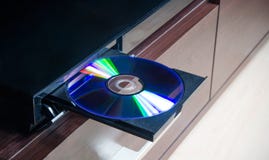 Quiero pasar este código en consola de C# a F#. Lo qu ehace el código es si pulsas A o la letra C abre o cierra la bandeja del lector de discos. A parte de C#, también está en C++ CLR y VB .net por si lo entienden mejor. Lo que hace el código es abrir y cerrar la bandeja de discos del lector, sea IDE o SATA. Código C#: Código:
using System;
using System.Runtime.InteropServices;
using System.Text;

namespace Lector_teclado_consola_cs
{
    class Program
    {
        [DllImport("winmm.dll")]
        public static extern Int32 mciSendString(string lpstrCommand, StringBuilder lpstrReturnString,
        int uReturnLength, IntPtr hwndCallback);

        public static StringBuilder rt = new StringBuilder(127);

        public static void DoEvents()
        {
            // Dispatcher.CurrentDispatcher.Invoke(DispatcherPriority.Background, new ThreadStart(delegate { }));
            Console.SetCursorPosition(0, 6);
            Console.Write("Abriendo...");
        }

        public static void DoEvents2()
        {
            // Dispatcher.CurrentDispatcher.Invoke(DispatcherPriority.Background, new ThreadStart(delegate { }));
            Console.SetCursorPosition(0, 6);
            Console.Write("Cerrando...");
        }

        static void Main(string[] args)
        {
            // Título de la ventana.
            Console.Title = "Control lector de bandeja. C#";

            // Tamaño ventana consola.
            Console.WindowWidth = 29; // X. Ancho.
            Console.WindowHeight = 8; // Y. Alto.

            // Cursor invisible.
            Console.CursorVisible = false;

            // Posición del mansaje en la ventana.
            Console.SetCursorPosition(0, 0);
            Console.Write(@"Control bandeja del lector:

A - Abrir bandeja.
C - Cerrar bandeja.
===========================");


            ConsoleKey key;
            //Console.CursorVisible = false;
            do
            {
                key = Console.ReadKey(true).Key;

                string mensaje = string.Empty;

                //Asignamos la tecla presionada por el usuario
                switch (key)
                {
                    case ConsoleKey.A:
                        // mensaje = "Abriendo...";
                        Console.SetCursorPosition(0, 6);
                        DoEvents();
                        mciSendString("set CDAudio door open", rt, 127, IntPtr.Zero);
                        mensaje = "Abierto.";
                        break;

                    case ConsoleKey.C:
                        // mensaje = "Cerrando...";
                        Console.SetCursorPosition(0, 6);
                        DoEvents2();
                        mciSendString("set CDAudio door closed", rt, 127, IntPtr.Zero);
                        mensaje = "Cerrado.";
                        break;
                }

                Console.SetCursorPosition(0, 6);
                Console.Write("           ");
                Console.SetCursorPosition(0, 6);
                Console.Write(mensaje);

            }
            while (key != ConsoleKey.Escape);
        }
    }
}
Código:
Imports System.Runtime.InteropServices
Imports System.Text

Module Module1
    <DllImport("winmm.dll")>
    Public Function mciSendString(lpstrCommand As String, lpstrReturnString As StringBuilder, uReturnLength As Integer, hwndCallback As IntPtr) As Int32
    End Function

    Public rt As New StringBuilder(127)

    Public Sub DoEvents()
        ' Dispatcher.CurrentDispatcher.Invoke(DispatcherPriority.Background, new ThreadStart(delegate { }));
        Console.SetCursorPosition(0, 6)
        Console.Write("Abriendo...")
    End Sub

    Public Sub DoEvents2()
        ' Dispatcher.CurrentDispatcher.Invoke(DispatcherPriority.Background, new ThreadStart(delegate { }));
        Console.SetCursorPosition(0, 6)
        Console.Write("Cerrando...")
    End Sub

    Sub Main()
        ' Título de la ventana.
        Console.Title = "Control lector de bandeja. Visual Basic"

        ' Tamaño ventana consola.
        Console.WindowWidth = 29 ' X. Ancho.
        Console.WindowHeight = 8 ' Y. Alto.
        ' Cursor invisible.
        Console.CursorVisible = False

        ' Posición del mansaje en la ventana.
        Console.SetCursorPosition(0, 0)
        Console.Write("Control bandeja del lector:" & vbCr & vbLf & vbCr & vbLf &
                      "A - Abrir bandeja." & vbCr & vbLf &
                      "C - Cerrar bandeja." & vbCr & vbLf &
                      "===========================")

        Dim key As ConsoleKey
        'Console.CursorVisible = false;
        Do
            key = Console.ReadKey(True).Key

            Dim mensaje As String = String.Empty

            'Asignamos la tecla presionada por el usuario
            Select Case key
                Case ConsoleKey.A
                    ' mensaje = "Abriendo...";
                    Console.SetCursorPosition(0, 6)
                    DoEvents()
                    mciSendString("set CDAudio door open", rt, 127, IntPtr.Zero)
                    mensaje = "Abierto."
                    Exit Select

                Case ConsoleKey.C
                    ' mensaje = "Cerrando...";
                    Console.SetCursorPosition(0, 6)
                    DoEvents2()
                    mciSendString("set CDAudio door closed", rt, 127, IntPtr.Zero)
                    mensaje = "Cerrado."
                    Exit Select
            End Select

            Console.SetCursorPosition(0, 6)
            Console.Write("           ")
            Console.SetCursorPosition(0, 6)

            Console.Write(mensaje)
        Loop While key <> ConsoleKey.Escape
    End Sub

End Module
Código:
#include "stdafx.h"

using namespace System;
using namespace System::Runtime::InteropServices;
using namespace System::Text;

[DllImport("winmm.dll")]
extern Int32 mciSendString(String^ lpstrCommand, StringBuilder^ lpstrReturnString,
	int uReturnLength, IntPtr hwndCallback);

static void DoEvents()
{
	Console::SetCursorPosition(0, 6);
	Console::Write("Abriendo...");
}

static void DoEvents2()
{
	Console::SetCursorPosition(0, 6);
	Console::Write("Cerrando...");
}

int main(array<System::String ^> ^args)
{
	StringBuilder^ rt = gcnew StringBuilder(127);

	// Título de la ventana.
	Console::Title = "Control lector de bandeja. C++ CLR";

	// Tamaño ventana consola.
	Console::WindowWidth = 29; // X. Ancho.
	Console::WindowHeight = 8; // Y. Alto.

							  // Cursor invisible.
	Console::CursorVisible = false;

	// Posición del mansaje en la ventana.
	Console::SetCursorPosition(0, 0);
	Console::WriteLine("Control bandeja del lector : \n\n" +
		"A - Abrir bandeja. \n" +
		"C - Cerrar bandeja. \n" +
		"========================== \n");
	//Console::WriteLine("A - Abrir bandeja.");
	//Console::WriteLine("C - Cerrar bandeja.");
	//Console::Write("==========================");

	ConsoleKey key;
	//Console::CursorVisible = false;
	do
	{
		key = Console::ReadKey(true).Key;

		String^ mensaje = "";

		//Asignamos la tecla presionada por el usuario
		switch (key)
		{
		case ConsoleKey::A:
			mensaje = "Abriendo...";
			Console::SetCursorPosition(0, 6);
			DoEvents();
			mciSendString("set CDAudio door open", rt, 127, IntPtr::Zero);
			mensaje = "Abierto.";
			break;

		case ConsoleKey::C:
			mensaje = "Cerrando...";
			Console::SetCursorPosition(0, 6);
			DoEvents2();
			mciSendString("set CDAudio door closed", rt, 127, IntPtr::Zero);
			mensaje = "Cerrado.";
			break;
		}

		Console::SetCursorPosition(0, 6);
		Console::Write("           ");
		Console::SetCursorPosition(0, 6);
		Console::Write(mensaje);

	} while (key != ConsoleKey::Escape);
    return 0;
}
¿Algún atrevido para poder abrir y cerrar la bandeja del lector usando el lenguaje F#? Tienes que estar iniciativa para empezar y convencido para terminarlo. Un cordial saludos a todos y a todas. 
__________________
http://electronica-pic.blogspot.com....n-arduino.html Manuales de electrónica general, PIC y Arduino.
|
|
|
|
 Temas Similares
|
||||
| Tema | Autor | Foro | Respuestas | Último mensaje |
| Expulsar la bandeja de CD | paldave | Varios | 5 | 01-09-2007 14:59:05 |
| nombre de una bandeja | Lucciano | Impresión | 0 | 31-05-2007 23:34:34 |
| Mi Aplicacion en la bandeja del Control Panel | Irma | API de Windows | 2 | 08-02-2007 18:52:21 |
| Reportes - Seleccionar bandeja | alapaco | Impresión | 0 | 01-09-2006 22:51:08 |
| Cerrar bandeja CDs | JMGR | Varios | 6 | 27-07-2003 14:52:12 |
 |
|


 Modo Híbrido
