

|
|
 |
 |
|
Paypal | |
|
FTP | |
|
CCD | |
|
Buscar | |
|
Trucos | |
|
Trabajo | |
|
Foros | |
|
|||||||
| Registrarse | FAQ | Miembros | Calendario | Guía de estilo | Temas de Hoy |

 |
|
|
Herramientas | Buscar en Tema | Desplegado |
|
#1
 15-11-2017
|
|||
|
|||
|
Control bandeja
Hola:
Hice en C#, C++ CLR y VB .net este formulario para abrir y cerrar la bandeja de discos sea IDE o SATA. Quiero hacer lo mismo para Dephi Tokyo 10.2. Así sigo haciendo cositas con Delphi y no dejarlo en el limbo. Quiero traducir de C# a Delphi o hacer lo mismo, es decir, que se pueda abrir y cerrar la bandeja del lector. Seguiré haciendo documentos o tutoriales para Delphi tal como se ha hecho antes. Código de C#: Código:
using System;
using System.Runtime.InteropServices; // No olvidar.
using System.Text;
using System.Windows.Forms;

namespace Lector_discos_cs
{
    public partial class Form1 : Form
    {
        public Form1()
        {
            InitializeComponent();
        }

        [DllImport("winmm.dll")]
        public static extern Int32 mciSendString(string lpstrCommand, StringBuilder lpstrReturnString,
            int uReturnLength, IntPtr hwndCallback);

        StringBuilder rt = new StringBuilder(127);

        private void button_Abrir_Click(object sender, EventArgs e)
        {
            label_Mensaje.Text = "Abriendo...";
            Application.DoEvents();
            mciSendString("set CDAudio door open", rt, 127, IntPtr.Zero);
            label_Mensaje.Text = "Abierto.";
        }

        private void button_Cerrar_Click(object sender, EventArgs e)
        {
            label_Mensaje.Text = "Cerrando...";
            Application.DoEvents();
            mciSendString("set CDAudio door closed", rt, 127, IntPtr.Zero);
            label_Mensaje.Text = "Cerrado.";
        }
    }
}
Antes que nada, espero que se pueda hacer. Saludos.
__________________
http://electronica-pic.blogspot.com....n-arduino.html Manuales de electrónica general, PIC y Arduino. 
|
|
#2
15-11-2017
|
||||
|
||||
|
http://www.clubdelphi.com/foros/showthread.php?t=47574
http://www.clubdelphi.com/foros/showthread.php?t=2492
__________________
 La otra guía de estilo | Búsquedas avanzadas | Etiquetas para código | Colabora mediante Paypal
|
|
#3
15-11-2017
|
|||
|
|||
|
Hola:
Gracias por los enlaces. Ahora puedo abrir y cerrar la bandeja.  Código Delphi: Código:
unit Lector_bandeja;

interface

uses
  Winapi.Windows, Winapi.Messages, System.SysUtils, System.Variants, System.Classes, Vcl.Graphics,
  Vcl.Controls, Vcl.Forms, Vcl.Dialogs, Vcl.StdCtrls, Vcl.ExtCtrls, MMSystem;

  // No olvidar añadir en uses MMSystem arriba.

type
  TForm1 = class(TForm)
    RadioGroup_Bandeja: TRadioGroup;
    Button_Abrir: TButton;
    Button_Cerrar: TButton;
    Label_Mensaje: TLabel;
    procedure Button_AbrirClick(Sender: TObject);
    procedure Button_CerrarClick(Sender: TObject);
  private
    { Private declarations }
  public
    { Public declarations }
  end;

var
  Form1: TForm1;

implementation

{$R *.dfm}

procedure OpenCd(AOpen:Boolean);
const
    DoPlay : array[Boolean] of string = ('Set cdaudio door closed wait',
         'Set cdaudio door open wait');
var
   MyError       : LongInt;
   MyErrorString : array[0..MAXERRORLENGTH - 1] of char;
begin
   MyError := mciSendString(pChar(DoPlay[AOpen]), nil, 0, 0);
   if MyError <> 0 then
   begin
     MciGetErrorString(MyError,MyErrorString,MAXERRORLENGTH - 1);
     Showmessage(MyErrorString);
     Exit;
   end;
end;
procedure TForm1.Button_AbrirClick(Sender: TObject);
begin
    OpenCd(TRUE);
    Label_Mensaje.Caption := 'Abierto.';
end;

procedure TForm1.Button_CerrarClick(Sender: TObject);
begin
    OpenCd(FALSE);
    Label_Mensaje.Caption := 'Cerrado.';
end;

end.
Esa es la cuestión. ¿Se puede hacer? Saludos.
__________________
http://electronica-pic.blogspot.com....n-arduino.html Manuales de electrónica general, PIC y Arduino.
|
|
#4
15-11-2017
|
||||
|
||||
__________________
La otra guía de estilo | Búsquedas avanzadas | Etiquetas para código | Colabora mediante Paypal
|
|
#5
15-11-2017
|
|||
|
|||
|
De esa manera lo había probado, no funciona, es como si no lo hubieran incluido. En C# fíjate que se incluye un evento para que ocurra lo que pido.
__________________
http://electronica-pic.blogspot.com....n-arduino.html Manuales de electrónica general, PIC y Arduino.
|
|
#6
16-11-2017
|
|||
|
|||
|
Hacer funcionar el lector de bandeja de discos con este lenguaje .net
Buenas a todos y a todas:
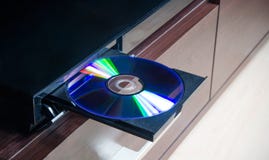 Quiero pasar este código en consola de C# a F#. Lo qu ehace el código es si pulsas A o la letra C abre o cierra la bandeja del lector de discos. A parte de C#, también está en C++ CLR y VB .net por si lo entienden mejor. Lo que hace el código es abrir y cerrar la bandeja de discos del lector, sea IDE o SATA. Código C#: Código:
using System;
using System.Runtime.InteropServices;
using System.Text;

namespace Lector_teclado_consola_cs
{
    class Program
    {
        [DllImport("winmm.dll")]
        public static extern Int32 mciSendString(string lpstrCommand, StringBuilder lpstrReturnString,
        int uReturnLength, IntPtr hwndCallback);

        public static StringBuilder rt = new StringBuilder(127);

        public static void DoEvents()
        {
            // Dispatcher.CurrentDispatcher.Invoke(DispatcherPriority.Background, new ThreadStart(delegate { }));
            Console.SetCursorPosition(0, 6);
            Console.Write("Abriendo...");
        }

        public static void DoEvents2()
        {
            // Dispatcher.CurrentDispatcher.Invoke(DispatcherPriority.Background, new ThreadStart(delegate { }));
            Console.SetCursorPosition(0, 6);
            Console.Write("Cerrando...");
        }

        static void Main(string[] args)
        {
            // Título de la ventana.
            Console.Title = "Control lector de bandeja. C#";

            // Tamaño ventana consola.
            Console.WindowWidth = 29; // X. Ancho.
            Console.WindowHeight = 8; // Y. Alto.

            // Cursor invisible.
            Console.CursorVisible = false;

            // Posición del mansaje en la ventana.
            Console.SetCursorPosition(0, 0);
            Console.Write(@"Control bandeja del lector:

A - Abrir bandeja.
C - Cerrar bandeja.
===========================");


            ConsoleKey key;
            //Console.CursorVisible = false;
            do
            {
                key = Console.ReadKey(true).Key;

                string mensaje = string.Empty;

                //Asignamos la tecla presionada por el usuario
                switch (key)
                {
                    case ConsoleKey.A:
                        // mensaje = "Abriendo...";
                        Console.SetCursorPosition(0, 6);
                        DoEvents();
                        mciSendString("set CDAudio door open", rt, 127, IntPtr.Zero);
                        mensaje = "Abierto.";
                        break;

                    case ConsoleKey.C:
                        // mensaje = "Cerrando...";
                        Console.SetCursorPosition(0, 6);
                        DoEvents2();
                        mciSendString("set CDAudio door closed", rt, 127, IntPtr.Zero);
                        mensaje = "Cerrado.";
                        break;
                }

                Console.SetCursorPosition(0, 6);
                Console.Write("           ");
                Console.SetCursorPosition(0, 6);
                Console.Write(mensaje);

            }
            while (key != ConsoleKey.Escape);
        }
    }
}
Código:
Imports System.Runtime.InteropServices
Imports System.Text

Module Module1
    <DllImport("winmm.dll")>
    Public Function mciSendString(lpstrCommand As String, lpstrReturnString As StringBuilder, uReturnLength As Integer, hwndCallback As IntPtr) As Int32
    End Function

    Public rt As New StringBuilder(127)

    Public Sub DoEvents()
        ' Dispatcher.CurrentDispatcher.Invoke(DispatcherPriority.Background, new ThreadStart(delegate { }));
        Console.SetCursorPosition(0, 6)
        Console.Write("Abriendo...")
    End Sub

    Public Sub DoEvents2()
        ' Dispatcher.CurrentDispatcher.Invoke(DispatcherPriority.Background, new ThreadStart(delegate { }));
        Console.SetCursorPosition(0, 6)
        Console.Write("Cerrando...")
    End Sub

    Sub Main()
        ' Título de la ventana.
        Console.Title = "Control lector de bandeja. Visual Basic"

        ' Tamaño ventana consola.
        Console.WindowWidth = 29 ' X. Ancho.
        Console.WindowHeight = 8 ' Y. Alto.
        ' Cursor invisible.
        Console.CursorVisible = False

        ' Posición del mansaje en la ventana.
        Console.SetCursorPosition(0, 0)
        Console.Write("Control bandeja del lector:" & vbCr & vbLf & vbCr & vbLf &
                      "A - Abrir bandeja." & vbCr & vbLf &
                      "C - Cerrar bandeja." & vbCr & vbLf &
                      "===========================")

        Dim key As ConsoleKey
        'Console.CursorVisible = false;
        Do
            key = Console.ReadKey(True).Key

            Dim mensaje As String = String.Empty

            'Asignamos la tecla presionada por el usuario
            Select Case key
                Case ConsoleKey.A
                    ' mensaje = "Abriendo...";
                    Console.SetCursorPosition(0, 6)
                    DoEvents()
                    mciSendString("set CDAudio door open", rt, 127, IntPtr.Zero)
                    mensaje = "Abierto."
                    Exit Select

                Case ConsoleKey.C
                    ' mensaje = "Cerrando...";
                    Console.SetCursorPosition(0, 6)
                    DoEvents2()
                    mciSendString("set CDAudio door closed", rt, 127, IntPtr.Zero)
                    mensaje = "Cerrado."
                    Exit Select
            End Select

            Console.SetCursorPosition(0, 6)
            Console.Write("           ")
            Console.SetCursorPosition(0, 6)

            Console.Write(mensaje)
        Loop While key <> ConsoleKey.Escape
    End Sub

End Module
Código:
#include "stdafx.h"

using namespace System;
using namespace System::Runtime::InteropServices;
using namespace System::Text;

[DllImport("winmm.dll")]
extern Int32 mciSendString(String^ lpstrCommand, StringBuilder^ lpstrReturnString,
	int uReturnLength, IntPtr hwndCallback);

static void DoEvents()
{
	Console::SetCursorPosition(0, 6);
	Console::Write("Abriendo...");
}

static void DoEvents2()
{
	Console::SetCursorPosition(0, 6);
	Console::Write("Cerrando...");
}

int main(array<System::String ^> ^args)
{
	StringBuilder^ rt = gcnew StringBuilder(127);

	// Título de la ventana.
	Console::Title = "Control lector de bandeja. C++ CLR";

	// Tamaño ventana consola.
	Console::WindowWidth = 29; // X. Ancho.
	Console::WindowHeight = 8; // Y. Alto.

							  // Cursor invisible.
	Console::CursorVisible = false;

	// Posición del mansaje en la ventana.
	Console::SetCursorPosition(0, 0);
	Console::WriteLine("Control bandeja del lector : \n\n" +
		"A - Abrir bandeja. \n" +
		"C - Cerrar bandeja. \n" +
		"========================== \n");
	//Console::WriteLine("A - Abrir bandeja.");
	//Console::WriteLine("C - Cerrar bandeja.");
	//Console::Write("==========================");

	ConsoleKey key;
	//Console::CursorVisible = false;
	do
	{
		key = Console::ReadKey(true).Key;

		String^ mensaje = "";

		//Asignamos la tecla presionada por el usuario
		switch (key)
		{
		case ConsoleKey::A:
			mensaje = "Abriendo...";
			Console::SetCursorPosition(0, 6);
			DoEvents();
			mciSendString("set CDAudio door open", rt, 127, IntPtr::Zero);
			mensaje = "Abierto.";
			break;

		case ConsoleKey::C:
			mensaje = "Cerrando...";
			Console::SetCursorPosition(0, 6);
			DoEvents2();
			mciSendString("set CDAudio door closed", rt, 127, IntPtr::Zero);
			mensaje = "Cerrado.";
			break;
		}

		Console::SetCursorPosition(0, 6);
		Console::Write("           ");
		Console::SetCursorPosition(0, 6);
		Console::Write(mensaje);

	} while (key != ConsoleKey::Escape);
    return 0;
}
¿Algún atrevido para poder abrir y cerrar la bandeja del lector usando el lenguaje F#? Tienes que estar iniciativa para empezar y convencido para terminarlo. Un cordial saludos a todos y a todas. 
__________________
http://electronica-pic.blogspot.com....n-arduino.html Manuales de electrónica general, PIC y Arduino.
|
|
#7
16-11-2017
|
||||
|
||||
|
Cita:
Ponle una espera antes, algo así: Aunque no sé para qué quieres ver "Abriendo", si se abre al momento. PD: Y no repitas hilos para preguntar lo mismo.
__________________
La otra guía de estilo | Búsquedas avanzadas | Etiquetas para código | Colabora mediante Paypal
|
|
#8
16-11-2017
|
|||
|
|||
|
Hola:
Intenté hacerlo con esta función pero no me funciona. Código:
  procedure Abriendo;
  begin
      Label_Mensaje.Caption := 'Abriendo...';
  end;
Código:
unit Lector_bandeja;

interface

uses
  Winapi.Windows, Winapi.Messages, System.SysUtils, System.Variants, System.Classes, Vcl.Graphics,
  Vcl.Controls, Vcl.Forms, Vcl.Dialogs, Vcl.StdCtrls, Vcl.ExtCtrls, MMSystem;

  // No olvidar añadir en uses MMSystem arriba.

  procedure Abriendo;
  begin
      Label_Mensaje.Caption := 'Abriendo...';
  end;

type
  TForm1 = class(TForm)
    RadioGroup_Bandeja: TRadioGroup;
    Button_Abrir: TButton;
    Button_Cerrar: TButton;
    Label_Mensaje: TLabel;
    procedure Button_AbrirClick(Sender: TObject);
    procedure Button_CerrarClick(Sender: TObject);
  private
    { Private declarations }
  public
    { Public declarations }
  end;

var
  Form1: TForm1;

implementation

{$R *.dfm}

procedure OpenCd(AOpen:Boolean);
const
    DoPlay : array[Boolean] of string = ('Set cdaudio door closed wait',
         'Set cdaudio door open wait');
var
   MyError       : LongInt;
   MyErrorString : array[0..MAXERRORLENGTH - 1] of char;
begin
   MyError := mciSendString(pChar(DoPlay[AOpen]), nil, 0, 0);
   if MyError <> 0 then
   begin
     MciGetErrorString(MyError,MyErrorString,MAXERRORLENGTH - 1);
     Showmessage(MyErrorString);
     Exit;
   end;
end;
procedure TForm1.Button_AbrirClick(Sender: TObject);
begin
    //Abriendo;
    OpenCd(TRUE);
    Label_Mensaje.Caption := 'Abierto.';
end;

procedure TForm1.Button_CerrarClick(Sender: TObject);
begin
    Label_Mensaje.Caption := 'Cerrando...';
    OpenCd(FALSE);
    Label_Mensaje.Caption := 'Cerrado.';
end;
end.
Saludos. Edito: Te acabo de leer. El método o forma que hiciste, no funciona. Ejecuta pero no funciona. Código:
    Label_Mensaje.Caption := 'Abriendo...';
    Sleep(1000);
    OpenCd(TRUE);
    Label_Mensaje.Caption := 'Abierto.';
Saludos.
__________________
http://electronica-pic.blogspot.com....n-arduino.html Manuales de electrónica general, PIC y Arduino. Última edición por REHome fecha: 16-11-2017 a las 10:32:48.
|
|
#9
16-11-2017
|
||||
|
||||
|
La verdad, no se entiende qué quieres hacer ni qué problema tienes. ¿Abre y cierra la bandeja?
__________________
La otra guía de estilo | Búsquedas avanzadas | Etiquetas para código | Colabora mediante Paypal
|
|
#10
16-11-2017
|
|||
|
|||
|
La bandeja abre y cierra. Muestra los mensajes Abierto y Cerrado, pero no aparecen los mensajes Abriendo... y Cerrando... Solo eso.
__________________
http://electronica-pic.blogspot.com....n-arduino.html Manuales de electrónica general, PIC y Arduino.
|
|
#11
16-11-2017
|
||||
|
||||
|
Cita:
__________________
La otra guía de estilo | Búsquedas avanzadas | Etiquetas para código | Colabora mediante Paypal
|
|
#12
16-11-2017
|
||||
|
||||
__________________
Confórmate con lo que tienes pero anhela lo que te falta.
|
|
#13
16-11-2017
|
|||
|
|||
|
Buenas:
@Casimiro Notevi No hace falta poner ningún Sleep para que me de tiempo, no aparece ese mensaje. El tiempo te lo da lo que dure en abrir la bandeja. Por cierto, ya funciona con Application.ProcessMessages; que puso nuestro compañero @ElDioni. Dejo el código Delphi completo por si alguien lo pueda necesitar. Código:
unit Lector_bandeja;

interface

uses
  Winapi.Windows, Winapi.Messages, System.SysUtils, System.Variants, System.Classes, Vcl.Graphics,
  Vcl.Controls, Vcl.Forms, Vcl.Dialogs, Vcl.StdCtrls, Vcl.ExtCtrls, MMSystem;

  // No olvidar añadir en uses MMSystem arriba.

type
  TForm1 = class(TForm)
    RadioGroup_Bandeja: TRadioGroup;
    Button_Abrir: TButton;
    Button_Cerrar: TButton;
    Label_Mensaje: TLabel;
    procedure Button_AbrirClick(Sender: TObject);
    procedure Button_CerrarClick(Sender: TObject);
  private
    { Private declarations }
  public
    { Public declarations }
  end;

var
  Form1: TForm1;

implementation

{$R *.dfm}

procedure OpenCd(AOpen:Boolean);
const
    DoPlay : array[Boolean] of string = ('Set cdaudio door closed wait',
         'Set cdaudio door open wait');
var
   MyError       : LongInt;
   MyErrorString : array[0..MAXERRORLENGTH - 1] of char;
begin
   MyError := mciSendString(pChar(DoPlay[AOpen]), nil, 0, 0);
   if MyError <> 0 then
   begin
     MciGetErrorString(MyError,MyErrorString,MAXERRORLENGTH - 1);
     Showmessage(MyErrorString);
     Exit;
   end;
end;
procedure TForm1.Button_AbrirClick(Sender: TObject);
begin
    Label_Mensaje.Caption := 'Abriendo...';
    Application.ProcessMessages;
    OpenCd(TRUE);
    Label_Mensaje.Caption := 'Abierto.';
end;

procedure TForm1.Button_CerrarClick(Sender: TObject);
begin
    Label_Mensaje.Caption := 'Cerrando...';
    Application.ProcessMessages;
    OpenCd(FALSE);
    Label_Mensaje.Caption := 'Cerrado.';
end;

end.
__________________
http://electronica-pic.blogspot.com....n-arduino.html Manuales de electrónica general, PIC y Arduino. Última edición por REHome fecha: 16-11-2017 a las 20:34:59.
|
|
#14
16-11-2017
|
||||
|
||||
|
Me alegro

__________________
La otra guía de estilo | Búsquedas avanzadas | Etiquetas para código | Colabora mediante Paypal
|
|
#15
16-11-2017
|
|||
|
|||
|
Hola:
La forma formulario Windows ya funciona al 100 %, ahora toca hacerlo en modo consola con Delphi. Un ejemplo que pongo en C# en modo consola es este. También tengo de VB .net y C++ CLR que hace lo mismo, si lo necesitan porque lo entienden mejor avisen.  Código C#: Código:
using System;
using System.Runtime.InteropServices;
using System.Text;

namespace Lector_teclado_consola_cs
{
    class Program
    {
        [DllImport("winmm.dll")]
        public static extern Int32 mciSendString(string lpstrCommand, StringBuilder lpstrReturnString,
        int uReturnLength, IntPtr hwndCallback);

        public static StringBuilder rt = new StringBuilder(127);

        public static void DoEventsAbriendo()
        {
            Console.SetCursorPosition(0, 6);
            Console.Write("Abriendo...");
        }

        public static void DoEventsCerrando()
        {
            Console.SetCursorPosition(0, 6);
            Console.Write("Cerrando...");
        }

        static void Main(string[] args)
        {
            // Título de la ventana.
            Console.Title = "Control lector de bandeja. C#";

            // Tamaño ventana consola.
            Console.WindowWidth = 29; // X. Ancho.
            Console.WindowHeight = 8; // Y. Alto.

            // Cursor invisible.
            Console.CursorVisible = false;

            // Posición del mansaje en la ventana.
            Console.SetCursorPosition(0, 0);
            Console.Write(@"Control bandeja del lector:

A - Abrir bandeja.
C - Cerrar bandeja.
===========================");


            ConsoleKey key;
            //Console.CursorVisible = false;
            do
            {
                key = Console.ReadKey(true).Key;

                string mensaje = string.Empty;

                //Asignamos la tecla presionada por el usuario
                switch (key)
                {
                    case ConsoleKey.A:
                        // mensaje = "Abriendo...";
                        Console.SetCursorPosition(0, 6);
                        DoEventsAbriendo();
                        mciSendString("set CDAudio door open", rt, 127, IntPtr.Zero);
                        mensaje = "Abierto.";
                        break;

                    case ConsoleKey.C:
                        // mensaje = "Cerrando...";
                        Console.SetCursorPosition(0, 6);
                        DoEventsCerrando();
                        mciSendString("set CDAudio door closed", rt, 127, IntPtr.Zero);
                        mensaje = "Cerrado.";
                        break;
                }

                Console.SetCursorPosition(0, 6);
                Console.Write("           ");
                Console.SetCursorPosition(0, 6);
                Console.Write(mensaje);

            }
            while (key != ConsoleKey.Escape);
        }
    }
}
__________________
http://electronica-pic.blogspot.com....n-arduino.html Manuales de electrónica general, PIC y Arduino.
|
|
#16
21-11-2017
|
|||
|
|||
|
Buenas:
Les dejo el código más simple y directo que el original. (De paso, por si alguien lo necesita).  Código:
unit Bandeja_Delphi;

interface

// Añadir MMSystem en el uses.
uses
  Winapi.Windows, Winapi.Messages, System.SysUtils, System.Variants, System.Classes, Vcl.Graphics,
  Vcl.Controls, Vcl.Forms, Vcl.Dialogs, Vcl.StdCtrls, MMSystem;

type
  TForm1 = class(TForm)
    GroupBox_Bandeja: TGroupBox;
    Button_Abrir: TButton;
    Button_Cerrar: TButton;
    Label_Mensaje: TLabel;
    procedure Button_AbrirClick(Sender: TObject);
    procedure Button_CerrarClick(Sender: TObject);
  private
    { Private declarations }
  public
    { Public declarations }
  end;

var
  Form1: TForm1;

implementation

{$R *.dfm}

procedure TForm1.Button_AbrirClick(Sender: TObject);
begin
    Label_Mensaje.Caption := 'Abriendo...';
    Application.ProcessMessages;
    mciSendString('Set cdaudio door open wait', nil, 0, 0);
    Label_Mensaje.Caption := 'Abierto.';
end;

procedure TForm1.Button_CerrarClick(Sender: TObject);
begin
    Label_Mensaje.Caption := 'Cerrando...';
    Application.ProcessMessages;
    mciSendString('Set cdaudio door closed wait', nil, 0, 0);
    Label_Mensaje.Caption := 'Cerrado.';
end;

end.
__________________
http://electronica-pic.blogspot.com....n-arduino.html Manuales de electrónica general, PIC y Arduino.
|
|
|
|
 Temas Similares
|
||||
| Tema | Autor | Foro | Respuestas | Último mensaje |
| Expulsar la bandeja de CD | paldave | Varios | 5 | 01-09-2007 14:59:05 |
| nombre de una bandeja | Lucciano | Impresión | 0 | 31-05-2007 23:34:34 |
| Mi Aplicacion en la bandeja del Control Panel | Irma | API de Windows | 2 | 08-02-2007 18:52:21 |
| Reportes - Seleccionar bandeja | alapaco | Impresión | 0 | 01-09-2006 22:51:08 |
| Cerrar bandeja CDs | JMGR | Varios | 6 | 27-07-2003 14:52:12 |
 |
|


 Mode Lineal

